Skinsights
A skincare app that personalizes the user’s routine through weekly skin surveys and data collection promoting better habit building behavior.
Timeline
8 weeks
Team
Kai Barnum
Pfeifer Hill
Brian Yoo
Roles
UI/UX Design
Motion Design
Tools
Figma
Framer
Project Overview
In my interface design course, I was grouped together with two of my peers to create a mobile application on a topic of our choice that we would have to conduct research on with user research and testing techniques.
How Might We?…
How might we help skincare users confidently build effective routines through organized tracking and personalized insights?
The Problem
People struggle to track skincare products, expirations, and reactions while trying to understand what truly works for their skin. With no cohesive platform for organizing routines and gaining data-driven insights, figuring out the right products, order, and frequency requires extensive personal research.
Our Solution
A smart, organized system that tracks products, monitors changes, and delivers personalized insights. By simplifying routine management and highlighting what truly works, Skinsights helps users make confident, informed decisions for healthier skin.
Onboarding Part 1
Uploading Skincare Products
Initial Skin Survey
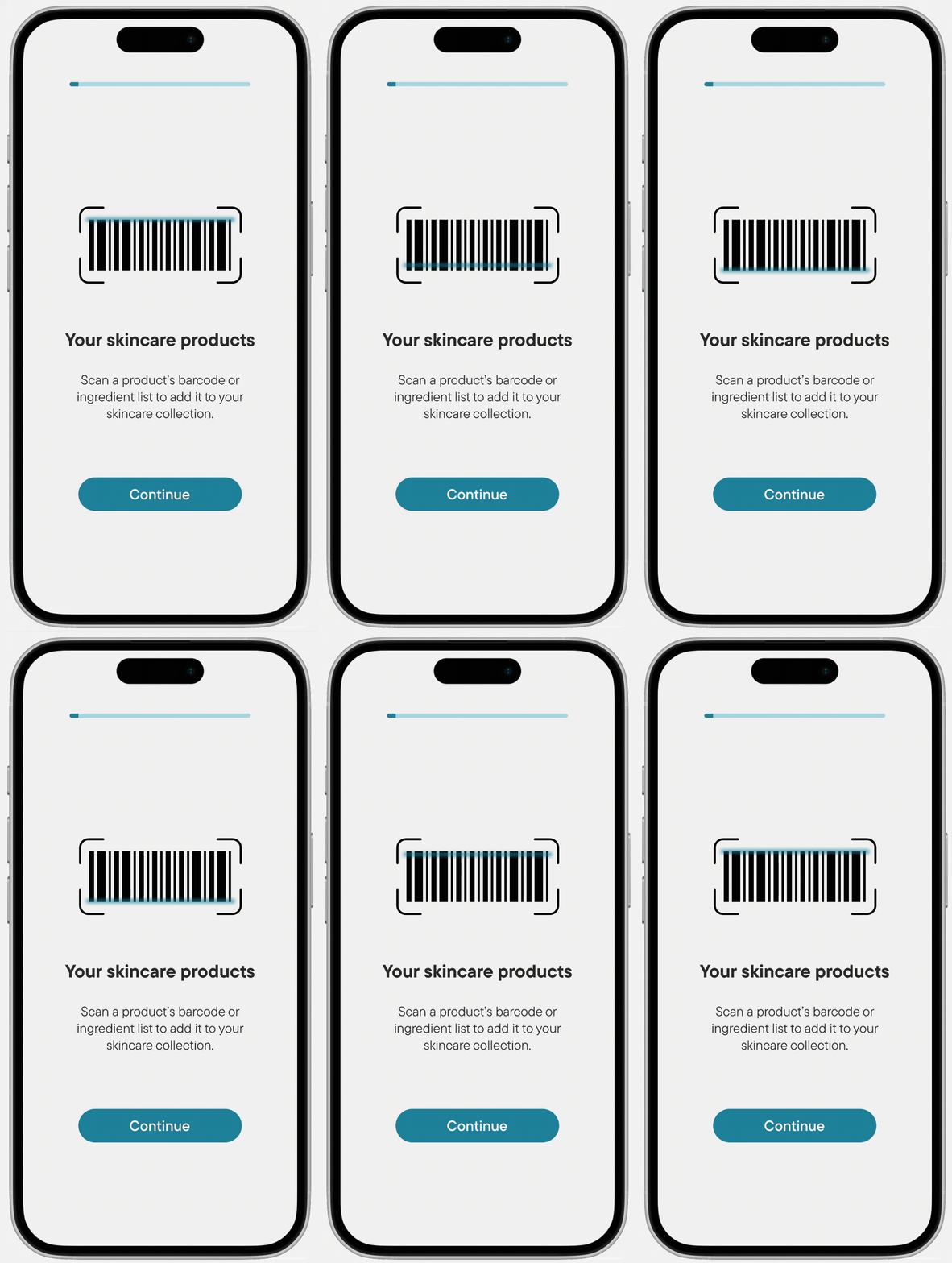
The first step in the onboarding exists to help show our users that in order to get started, they will need to input several of their existing skincare products and add them to a new collection.
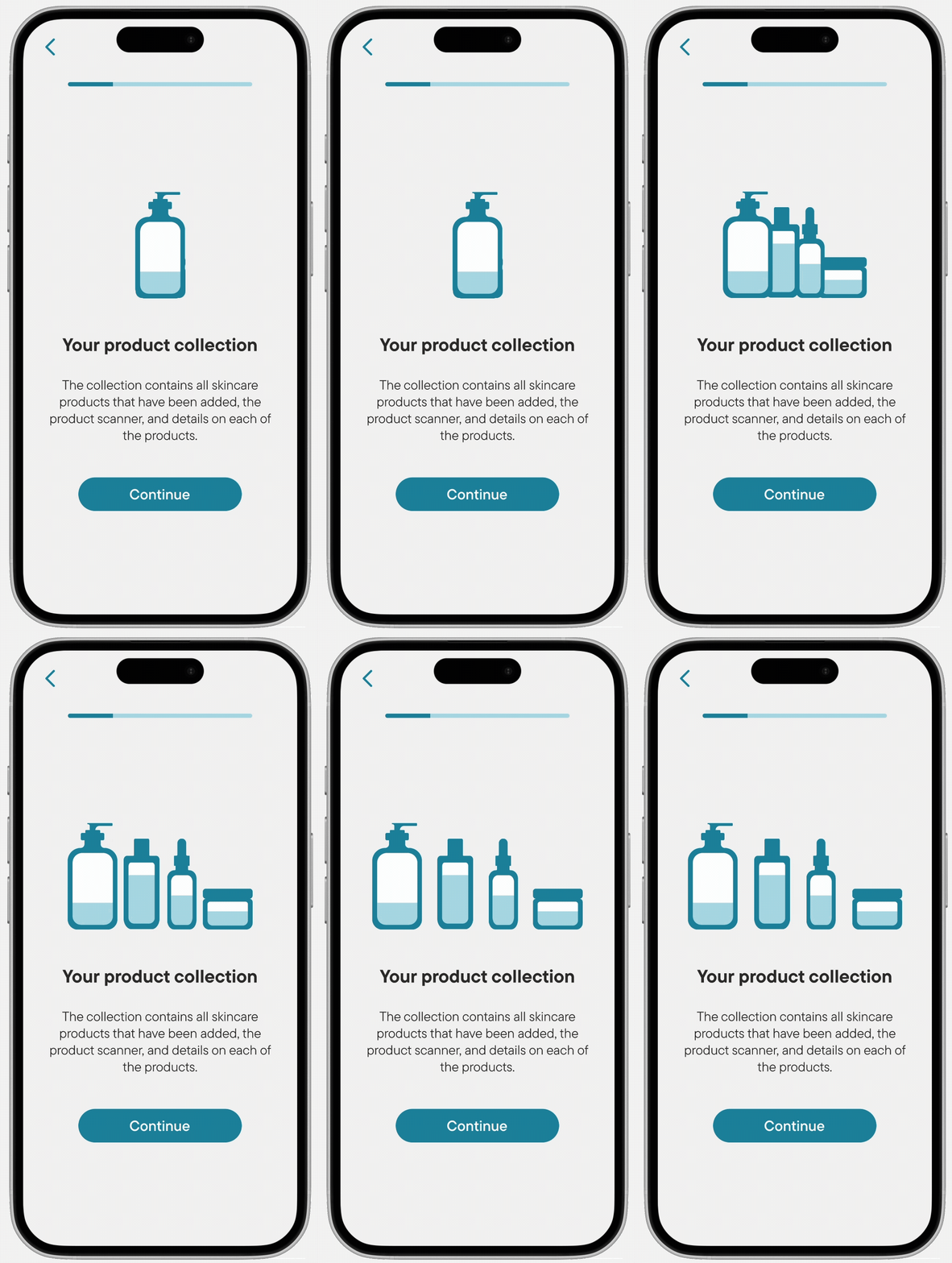
In addition, on the next step of the onboarding, the collection is explained in more depth showing how each of the products' details are stored.
Onboarding Part 2
Reviewing Results
Initial Skin Survey
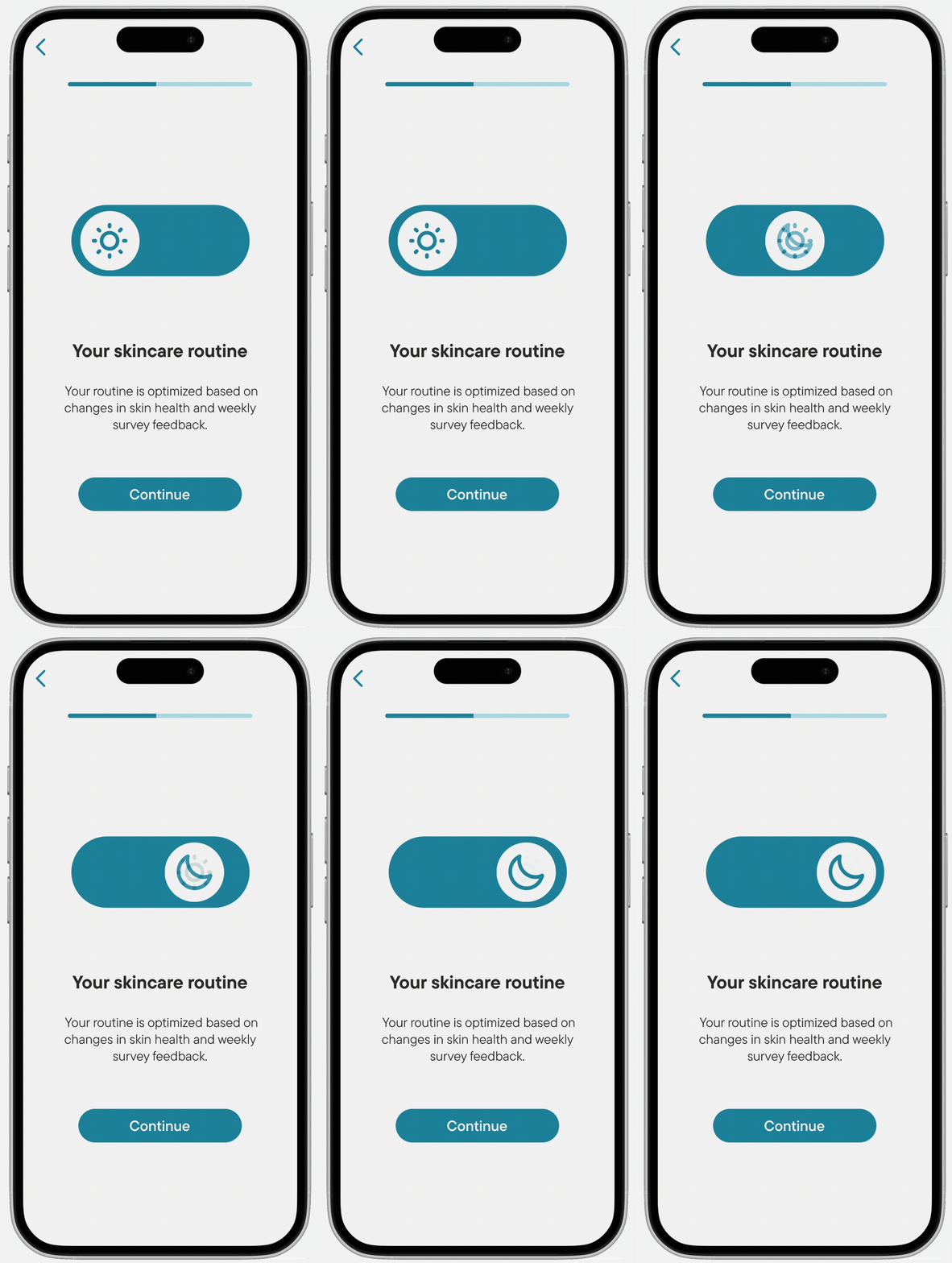
Within the onboarding, we incorporated a small microanimation to help our users visualize the duality of our skincare routine system that can be swapped from day to night for quick changes.
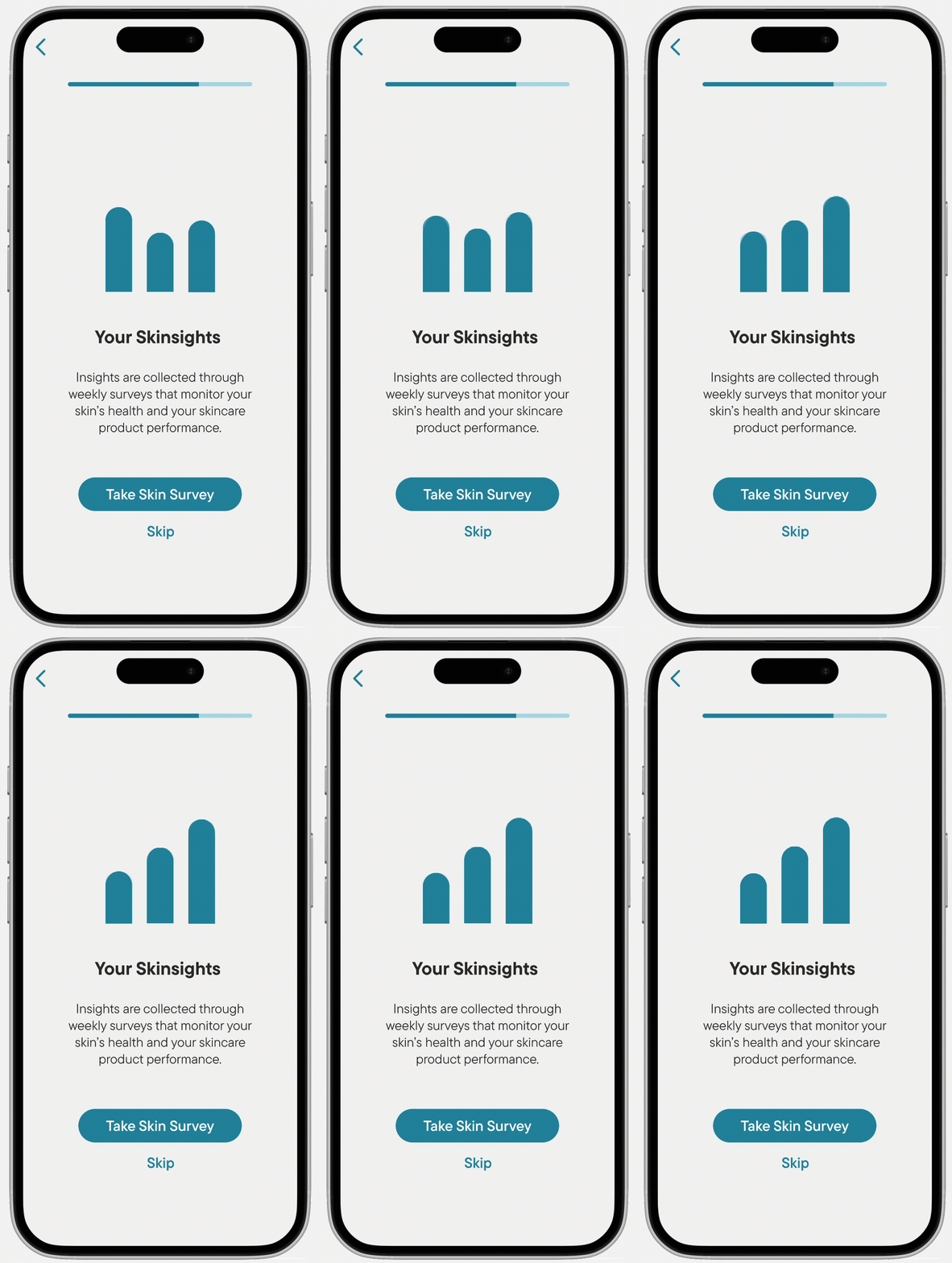
Additionally, we included an onboarding step to aid with showing our users how data collection played into helping them see better results and gain insights about their skin.
Onboarding Part 3
Initial Skin Survey
Initial Skin Survey
This initial survey is designed to establish a baseline for the user's experience with skincare so the app can better cater to the level of dedication the user will have towards their skin routines moving forward.
Additionally, this survey helps to gain small data points on the user including their skin type, skin concerns, and ingredient allergies.
Navigating the Home Page
Routine and Daily Insights
Initial Skin Survey
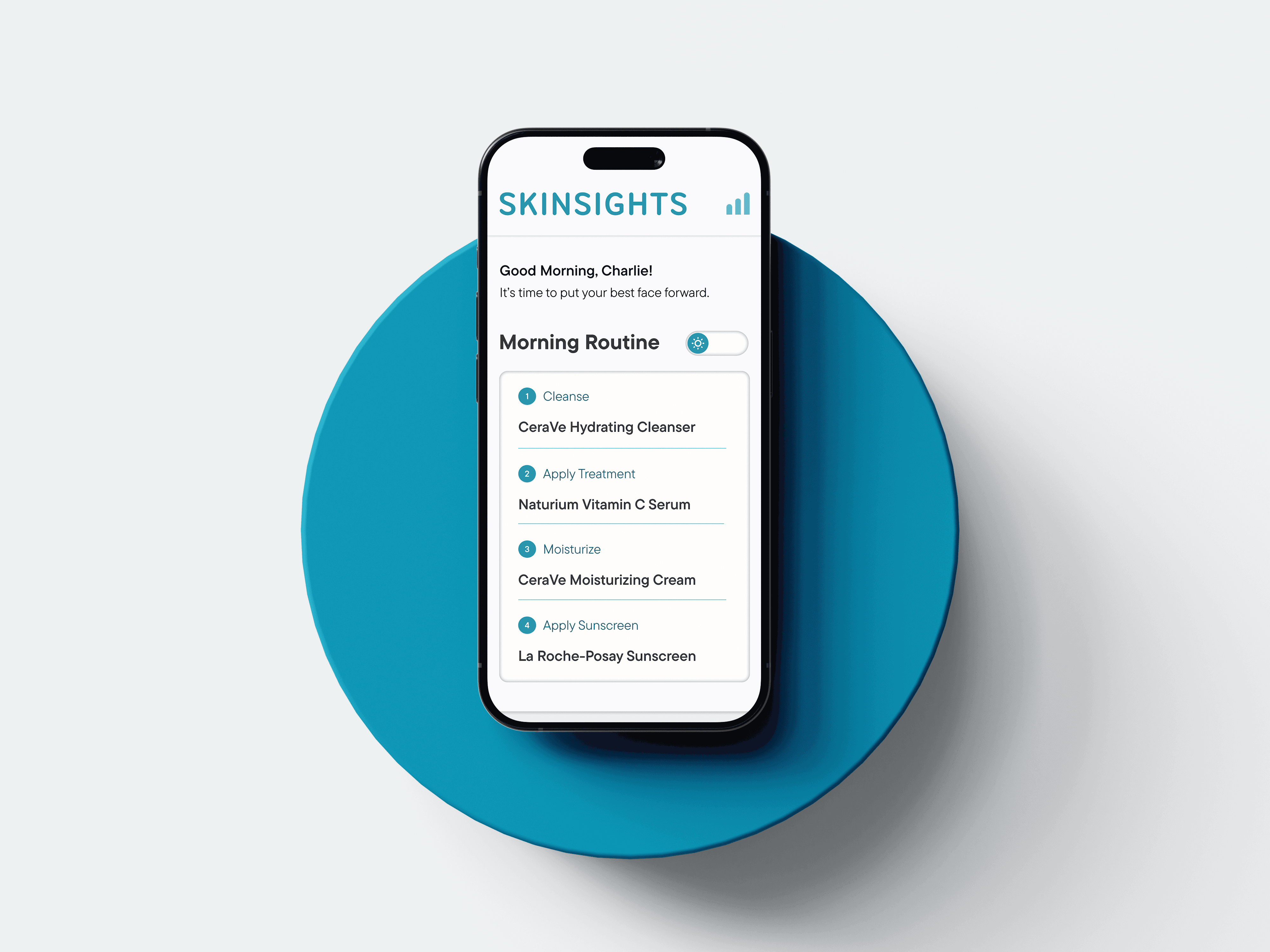
The user's routine is front and center on the landing page for the user's convenience and can be easily switched between day and night mode.
Additionally, one daily insight will be provided on the home page at the user's convenience. A small nugget of information beneficial to the more experienced skincare user, however, made entirely optional for skincare beginners.
Navigating the Home Page
Product Search and Collection
The app's product scanner allows for new products to be scanned in one of two ways: by barcode or by the ingredients list. With a rich database, Skinsights is able to pick up on exactly what product you have just by its contents!
After scanning, users have the ability to read about each product as well as give the product a nickname that feels appropriate for their personalized routine.
Experience Map
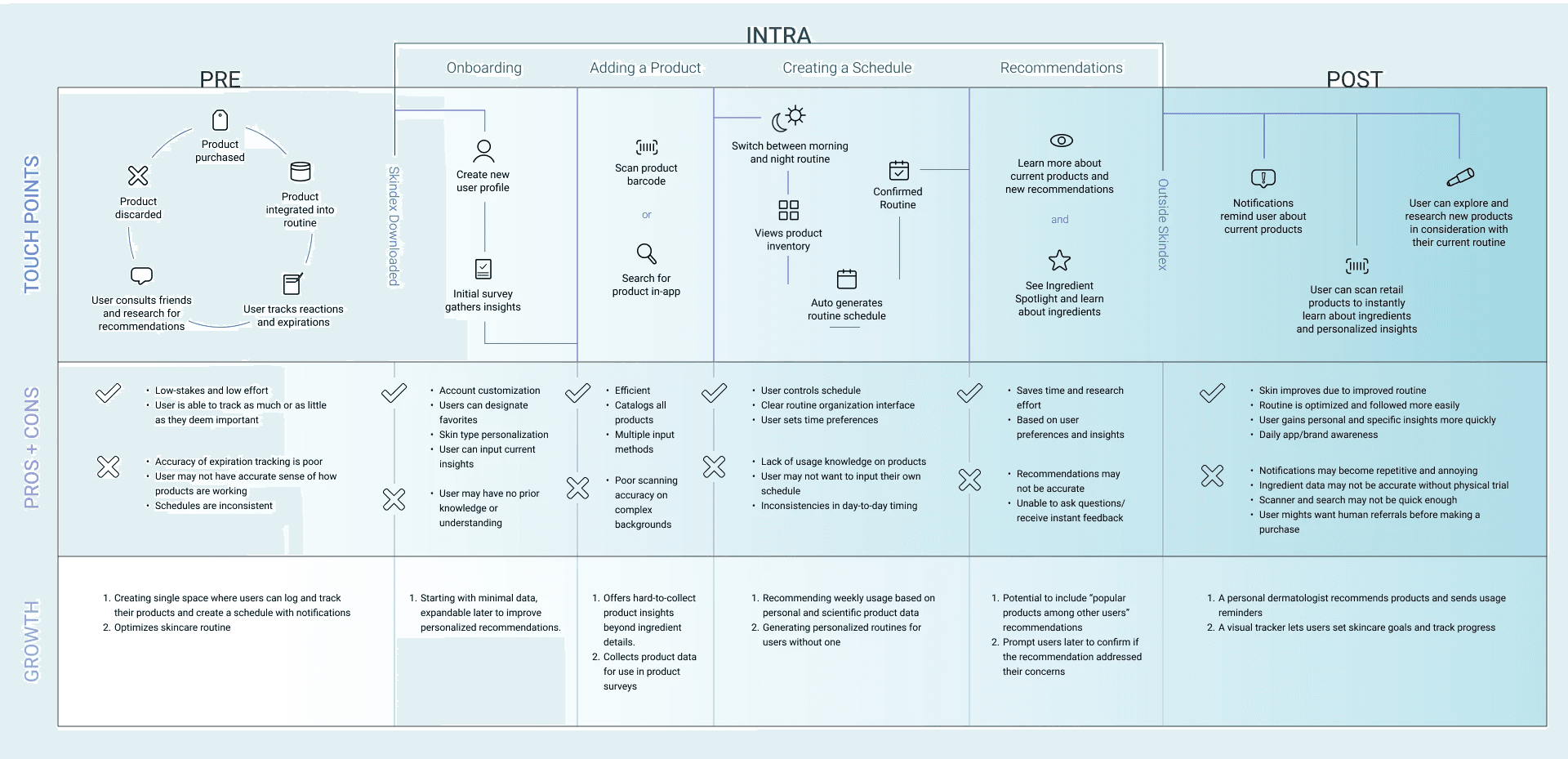
We laid out our experience map early on in in the design process. This allowed us to use it as a guide for our explorations moving forward.
User Research Takeaways
We sent out 100 online questionnaires and received 96 responses. 80% of participants reported experiencing difficulty tracking their skincare products and routines. Half of them did not have an established routine and were unsure how to keep track of their products or identify the right ones for their needs. Additionally, participants expressed concerns about monitoring expiration dates for their product collections.
80% of participants reported experiencing difficulty tracking their skincare products and routines.
50% of participants did not have an established routine and were unsure how to keep track of their products/identify right ones for their needs.
Some participants expressed concerns about monitoring expiration dates for their product collections.
Brand Guidelines
Interface Style Guide
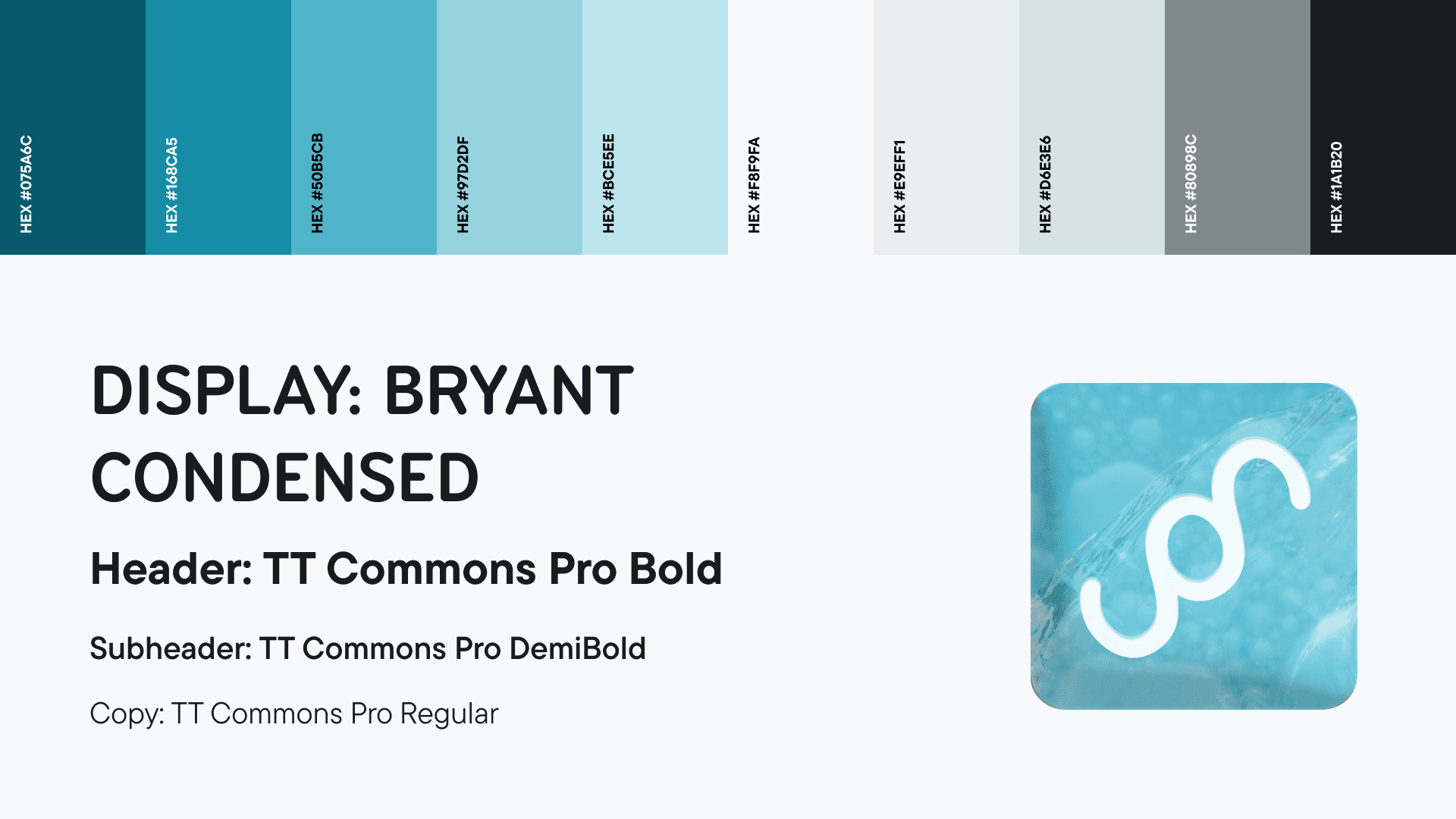
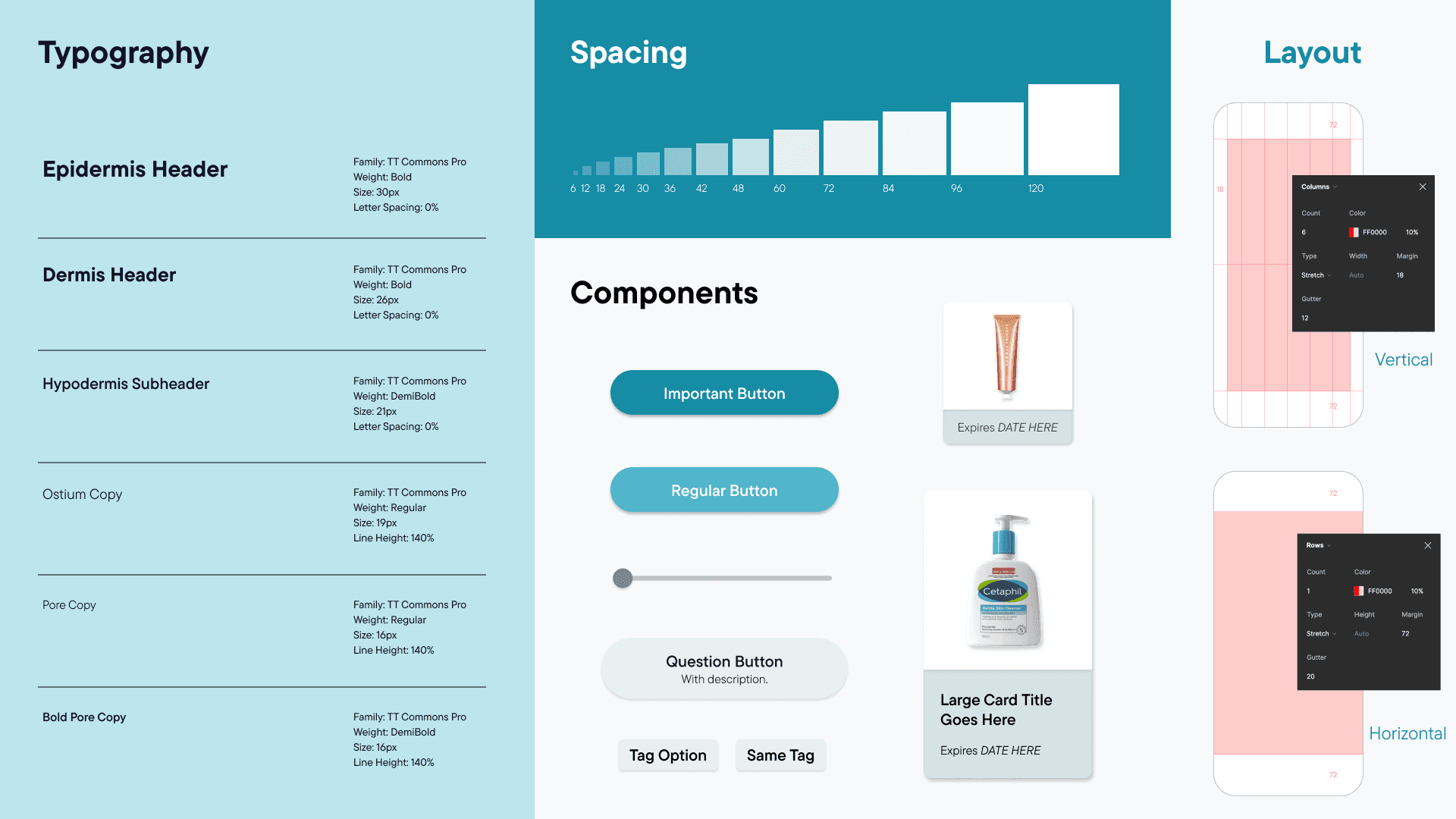
We used a consistent style guide system across our application including a typography ramp for various styles, spacing rules, components, and grids.
User Testing Takeaways
Since we did our user testing fairly early on in the process, we got a lot of constructive feedback, however, all of it was beneficial, particularly with polishing the onboarding which helped clarify the app's purpose and navigation.
Skinsights purpose is confusing/unclear.
Confusion on how data led to skin insights.
Navigation to skin quizzes was confusing.
Adding new skin products was challenging.
Project Reflection
While one of Skinsights’ greatest capabilities is providing users with feedback on their products, I find the ability to scan products or their ingredient list to provide details and benefits to be the greatest value since it can be of use to any user regardless of their experience level. Additionally, its ability to collect user data through the initial survey and weekly check-ins, enables it to deliver personalized skincare routines.
In the future, there is so much potential in its data collection capabilities. By maintaining a diverse, well-organized, and ethically managed database, the platform could not only attract investors but also provide valuable insights for skincare companies.
There was one point during this project where I hit a pretty rough period of burnout from looking at so many small details over and over, however, the satisfaction of making clean animations reignited my motivation to continue working towards polishing the final product!
For us, delegating responsibilities and dividing the workload into unique roles was crucial as it allowed us to focus on our own areas as opposed to focusing on many small details. This system was extremely beneficial in bringing organization to our team!
Interactive Prototype
Tip: I would highly encourage maximizing the screen to improve the wireframe's navigation!